Desk posture without the gadgets
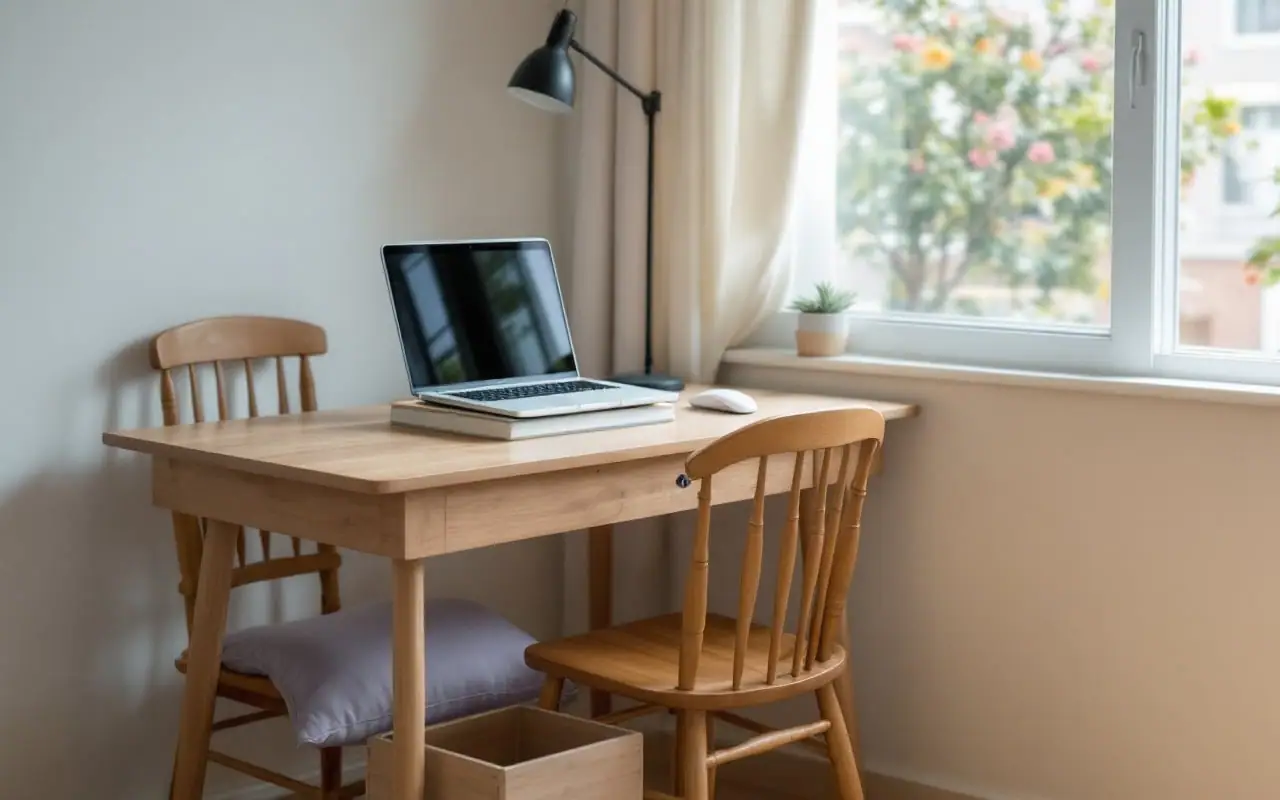
When I first worked from home, my office was the end of the dining table in a small flat in Kitakyushu. The laptop sat flat on the table, the chair was a wooden one built for meals, and by mid-afternoon my neck felt like a coat hanger had been left in it. I used to explain desk set-ups to massage clients for a living. It turns out knowing the theory and sitting properly are two different skills.
Since then a lot of people have joined me at the kitchen table, and the internet is happy to sell all of them a standing desk, an ergonomic chair, a monitor arm and a wrist rest shaped like a cloud. Some of that kit is good. None of it is required. Most of the difference comes from a few adjustments using things you already own, plus moving more often than feels natural.
There is no perfect posture
The old-school picture of good posture (bolt upright, shoulders pinned back, never slouching) does not hold up well. Research has not found one correct way to sit that protects people from back or neck pain, and people with very different postures can be equally comfortable. What does seem to matter is how long you stay in any one position. Muscles and joints like variety.
Physiotherapists have a saying for this: the best posture is the next posture. Lean back for a while. Sit forward for a while. Stand for a phone call. Perch on the edge of the chair. None of these is wrong unless you hold it for two hours without moving. So the goal of the set-up below is not to lock you into a perfect shape. It is to give you a comfortable starting point so that you are not fighting your furniture, and then to make sure you leave it regularly.
Setting up with what you have
Work through these in order. Each one depends a little on the one before.
1. Get the screen up
A laptop flat on a table makes you look down all day. Stack books, a sturdy box or a couple of reams of paper under it until the top of the screen is roughly at eye level, or a little below. If you wear varifocal lenses, set it a touch lower, so you are not tipping your head back to read through the bottom of the glasses.
2. Bring in a separate keyboard and mouse
Once the laptop is raised, you cannot type on it comfortably, so you need a separate keyboard and mouse. Cheap ones are fine. Ask around, because plenty of people have an old set in a cupboard. If you truly have nothing, compromise: raise the laptop for reading, meetings and video calls, and lower it for bursts of heavy typing.
Keep the keyboard close to the front edge of the table and the mouse right beside it, so your elbows stay near your sides. Reaching forward or out to one side for a mouse all day is a quiet way to wear out one shoulder. Wrists should be roughly straight, not cocked up or bent down.
3. Sort out the chair height
Sit with your upper arms hanging loosely by your sides and bend your elbows to roughly a right angle. Your forearms should be about level with the keyboard. If the table is too high, which is common with dining chairs, you end up shrugging your shoulders for hours. Raise yourself with a firm cushion, a folded blanket or a folded zabuton (the flat Japanese floor cushion). Sit back far enough that the backrest does some of the work, and tuck a rolled towel into the small of your back to give the lower spine something to lean on.
4. Give your feet somewhere to go
Raising the seat often leaves your feet dangling, which pulls on the backs of the thighs and makes you perch. Put something solid under them: a low box, a stack of magazines tied with string, or a sturdy step. Aim for thighs roughly level and knees at about hip height. Nothing that rolls or slides.
5. Check screen distance and light
The screen should sit about an arm's length away. Japan's health ministry, in its guidance for screen work, suggests at least 40 centimetres between eyes and display. If you catch yourself leaning in, make the text bigger rather than moving closer. Put windows to the side of the screen where possible, not behind it (you squint) or behind you (glare).
What about standing?
Standing desks became fashionable for good reason, but standing still all day is no better than sitting still all day. It just moves the ache to your feet and lower back. If you want to try it before spending money, a kitchen counter or an ironing board set to elbow height makes a fair test bench. Alternate: stand for a meeting, sit for detailed work, and see how your body takes to it over a week or two.
A 20-minute rhythm
Good set-ups still turn into bad ones if you sit there all day. Japan's Ministry of Health, Labour and Welfare publishes guidance on screen work that suggests not working more than an hour continuously, with a 10 to 15 minute break before the next stretch and one or two short pauses within the hour. Few home workers manage that. A timer helps. Here is the routine I use, built around a 20-minute timer.
- At 20 minutes, rest your eyes. Look out of the window at something at least 6 metres away for about 20 seconds and blink a few times. Eye doctors call this the 20-20-20 rule, and it eases the strain of close focus.
- At 40 minutes, loosen your neck and shoulders. Roll your shoulders back slowly five times. Then do five chin tucks: look straight ahead and slide your chin backwards as if making a double chin, then release.
- At 60 minutes, stand up and move for a few minutes. Refill your water, hang out the washing, walk to the end of the street and back. Do ten slow calf raises while the kettle boils.
- Start again. Every other cycle, swap one break for a stretch across the front of the chest: forearms on a door frame at shoulder height, step through gently, hold for 20 to 30 seconds.
Each micro-break takes under a minute. People blink less when they stare at a screen, which is one reason eyes feel dry and gritty by late afternoon, so the eye break is not an optional extra. If 20 minutes feels like an interruption to deep work, stretch it to 30. The point is that the break happens without you having to remember. Phone calls are free movement breaks too, so take them standing or walking.
Common set-ups and how to fix them
| Where you are working | What tends to go wrong | Fix with what you have |
|---|---|---|
| Laptop flat on a dining table | Head drops forward, upper back rounds | Raise the laptop on books, add a separate keyboard and mouse |
| Laptop on the sofa | Slumped, chin down, wrists bent | Fine for a quick email; for long work move to a table, or put a firm cushion behind your back and a pillow on your lap |
| Laptop on the bed | Neck bent, nothing supporting the lower back | Avoid for long sessions; sit against the headboard with pillows behind you and the laptop raised on a tray |
| Dining chair too low for the table | Shoulders hunched up | Firm cushion or folded zabuton on the seat, feet on a box |
| Low table or kotatsu on the floor | Rounded lower back, stiff hips | Cushion under your hips, back against a wall, change position often |
| Standing at the kitchen counter | Standing still, locked knees | Rest one foot on a low box and swap, shift your weight, alternate with sitting |
| Second screen off to one side | Neck twisted all day | Put the main screen straight in front of you |
| Phone wedged between ear and shoulder | Neck bent sideways | Use earphones or the speaker |
When it needs more than a better chair
Most desk aches settle within a few weeks once the set-up improves and you move more. It is worth seeing a doctor or a physiotherapist if:
- pain has not improved after a few weeks, or keeps getting worse
- pain spreads down an arm or a leg, especially with numbness, tingling or weakness
- your fingers tingle or go numb at night, which can point to a trapped nerve at the wrist
- you have new or unusual headaches, particularly severe ones
Some signs need prompt care rather than a wait. Get medical help quickly for loss of bladder or bowel control, or numbness around the groin or buttocks, for back or neck pain with a fever, for pain after a fall or other injury, and for pain at night that does not ease when you change position. Chest pain or breathlessness alongside neck, shoulder or arm pain is an ambulance call.
In Japan, physiotherapists mostly work in hospitals and clinics under a doctor's direction, so the usual first step is an orthopaedic clinic. In the UK, many areas let you refer yourself to NHS physiotherapy; the NHS website explains what is available locally. If neck and shoulder stiffness is the main problem, there is more on that in the piece on katakori.
The Japanese idea of yojo, looking after your health day by day, fits desk work rather well. Small aches are early signals, and acting on them while they are small is easier than ignoring them until they shout (there is more on that way of thinking in the article on mibyo).
If you only change one thing this week
Put the laptop on books, plug in a keyboard, and set a 20-minute timer. Those three take about ten minutes and cost little or nothing. Notice how your neck feels on Friday compared with Monday, then adjust the chair and feet. Other articles on neck, back and desk life are collected under posture and body care.

The writer
Tom worked as a sports-massage therapist in Yorkshire before moving to Kitakyushu. He writes about stiff shoulders, backs, desks and floor sitting, in plain words and without selling you a gadget.